Fahmeet
“When did I say that?” Fahmeet knows who said it, and when.
Fahmeet turns a meeting recording into complete, actionable minutes: a Persian transcript with speakers identified, a summary of the discussion, decisions, an owner for every action and a deadline. No one has to take notes or spend hours writing up the meeting: review, approve and share.
Try Fahmeet.
Pick a meeting and switch between the transcript, the minutes and the actions. Next to any decision, tap “Who said it, when?” to jump to that moment.
 فهمیتجلسهٔ هفتگی پروژهٔ داشبورد انرژی ۳۲ دقیقه
سه موضوع بررسی شد: زمانبندی نسخهٔ آزمایشی، طراحی صفحهٔ گزارشها و بودجهٔ سرور. نسخهٔ آزمایشی با رسیدن دادههای نمونه تا پایان هفتهٔ آینده آماده میشود، طرح دوم صفحهٔ گزارشها انتخاب شد و برای کنترل هزینه، سرور آزمایشی کوچکتر میشود.
مصوبات
- نسخهٔ آزمایشی تا پایان هفتهٔ آینده آماده میشود.
- طرح دوم صفحهٔ گزارشها نهایی شد.
- سرور آزمایشی برای کاهش هزینه کوچکتر میشود.
Hypothetical example: people, company, documents and figures are fictional. The product interface is in Persian.
Original product captures · Persian interface · demonstration content
What you can do
Record or upload
Record the meeting right in the browser or upload an existing audio file, with optional live captions while you record.
Persian transcript, speaker by speaker
A full Persian transcript that shows who said what. Confirm each speaker's name by listening to a short clip.
Minutes, decisions and actions
A summary, decisions and action items with owners and deadlines, ready to edit. Replay the exact moment behind any decision.
Recurring meetings, followed through
Keep related meetings in one series. Titles and regular attendees are suggested automatically, and the last meeting's decisions are always at hand.
Your company template, ready to send
Get the minutes in your own Word template, as PDF or HTML, or send them to attendees by email or link.
How it works
- Record or upload
- Review speakers
- Approve minutes and decisions
- Publish and follow up
Output formats
See what leaves the meeting.
A complete Fahmeet export: summary, decisions, owners and deadlines, followed by charts and a mind map. Explore the actual HTML document below.
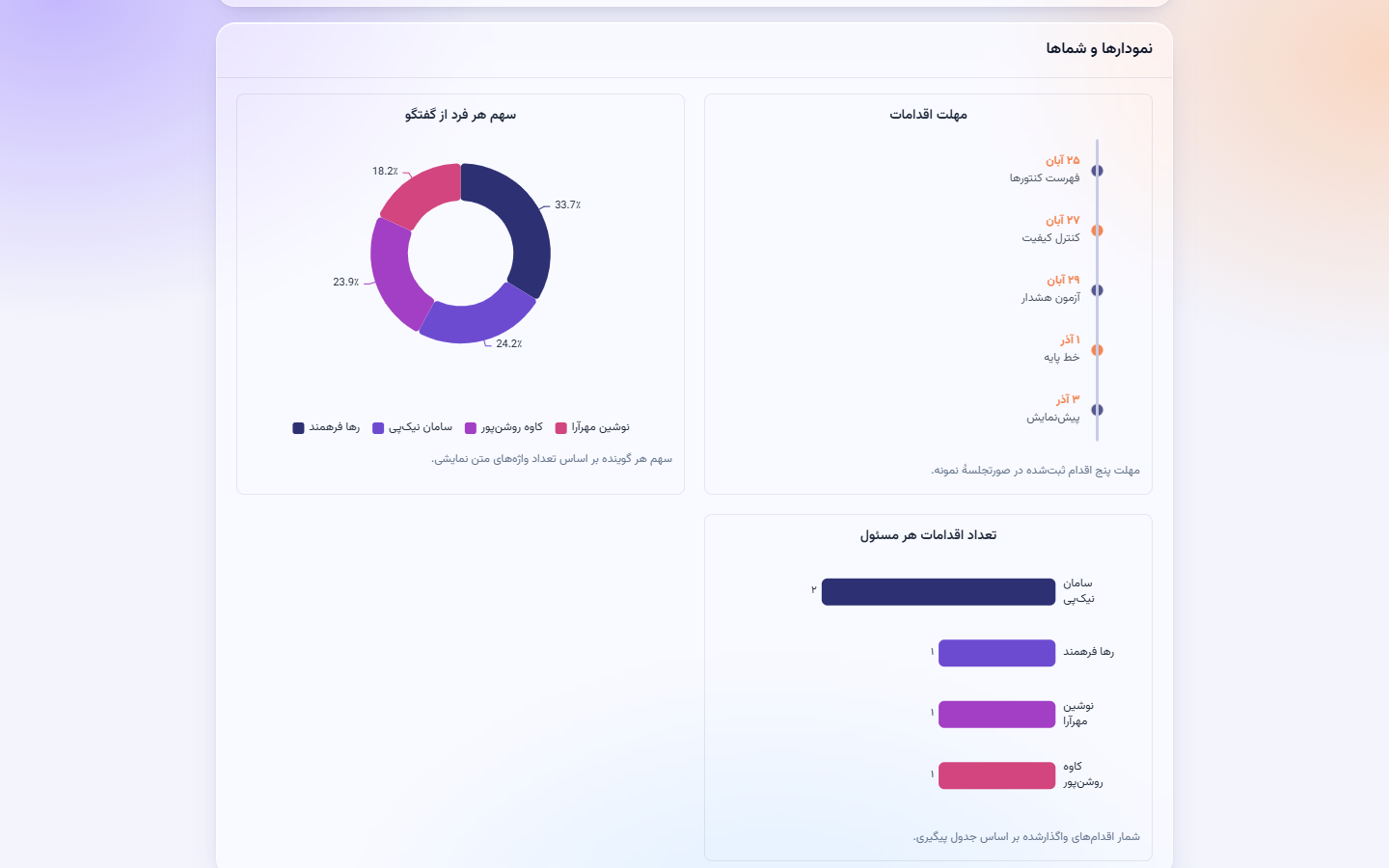
The standalone document opens here on request. It includes its fonts, charts and mind map.
Frequently asked questions
What does Fahmeet, the AI meeting minutes assistant, do?
Fahmeet records or receives the meeting audio, produces a Persian transcript with speakers identified, and turns it into minutes with a summary of the discussion, decisions, and an owner and a deadline for every action.
Can I edit the minutes before sending them?
Yes. The minutes start as a draft: you review and edit them and, once approved, publish them as Word, PDF or HTML.
Does it work for in-person meetings too?
Yes. Record the meeting directly in the browser, or upload its audio file, whether the meeting was in person or online.
How does Fahmeet know who said what?
Fahmeet separates the speakers in the transcript and suggests a name for each; you confirm or correct the names by listening to a short clip of each voice. From then on, every decision shows who said it and when.

 فهمان